Student training
Chess homework students actually do, and you can see
ChessCore is chess training software for academies: coaches assign practice, students do it between classes, and the coach sees what was finished. The practice sits in the same record as attendance, fees and games, so the next assignment can start from evidence instead of memory.
Your academy sets up the student record and links the student’s account before anyone uses the portal. A player signing up alone does not get a standalone consumer trainer. That is the student side of this chess training platform for academies. For the wider workflow, see chess academy management software.
See a coach-to-student assignment
How it works
Each assignment starts from what the last one showed
Assign, practise, review, adapt: the loop between classes, shown with Mateo S. at Knight’s Gate, a made-up academy.
Assign
A coach sets a puzzle set or other homework for one student or a whole batch, with a due date.
Practise
Students work through assigned sets and a due-now queue in their own portal.
Review
The coach sees completion and accuracy for each assignment.
Adapt
Puzzle choice follows a student’s weak themes and their own flagged game mistakes.
Try a puzzle
Solve one puzzle and see what the coach sees
One of the twelve pin puzzles Grace set for Friday. Pick a move, then follow the assignment from the student to the coach.
Puzzle 9 of 12, theme: pin
White to move and win material
The rook on e1, the knight on e5 and the king on e8 share a file. Which move uses that?
Homework for Mateo S.Due Friday
12 pin puzzles, set by Grace
8 of 12 solved
- 1The coach sets a puzzle set for one student or a whole batch, with a due date.
- 2Mateo works through the set and his due-now queue in his own portal, with a streak and points.
- 3He submits the set in ChessCore. Work still awaiting submission is marked overdue once Friday passes.
Homework for a whole batch in one assignment
In the chess homework software, you set chess assignments for students individually or for a whole batch, with an optional due date. Puzzle sets draw on a shared catalog of 6,095,563 rated puzzles from the open Lichess puzzle database (CC0), with themes and opening tags. The coach previews puzzles by rating and theme and copies a selection into the academy’s curriculum. The curriculum builder also holds starter content: a foundations ladder, tactics and endgame quiz banks and lesson templates. The coach stays in control of what is assigned and when. To choose what to assign, see chess homework ideas for turning a student’s mistakes into drills, and chess homework apps to compare how other tools assign and track work.
See who did the homework, without the hunt
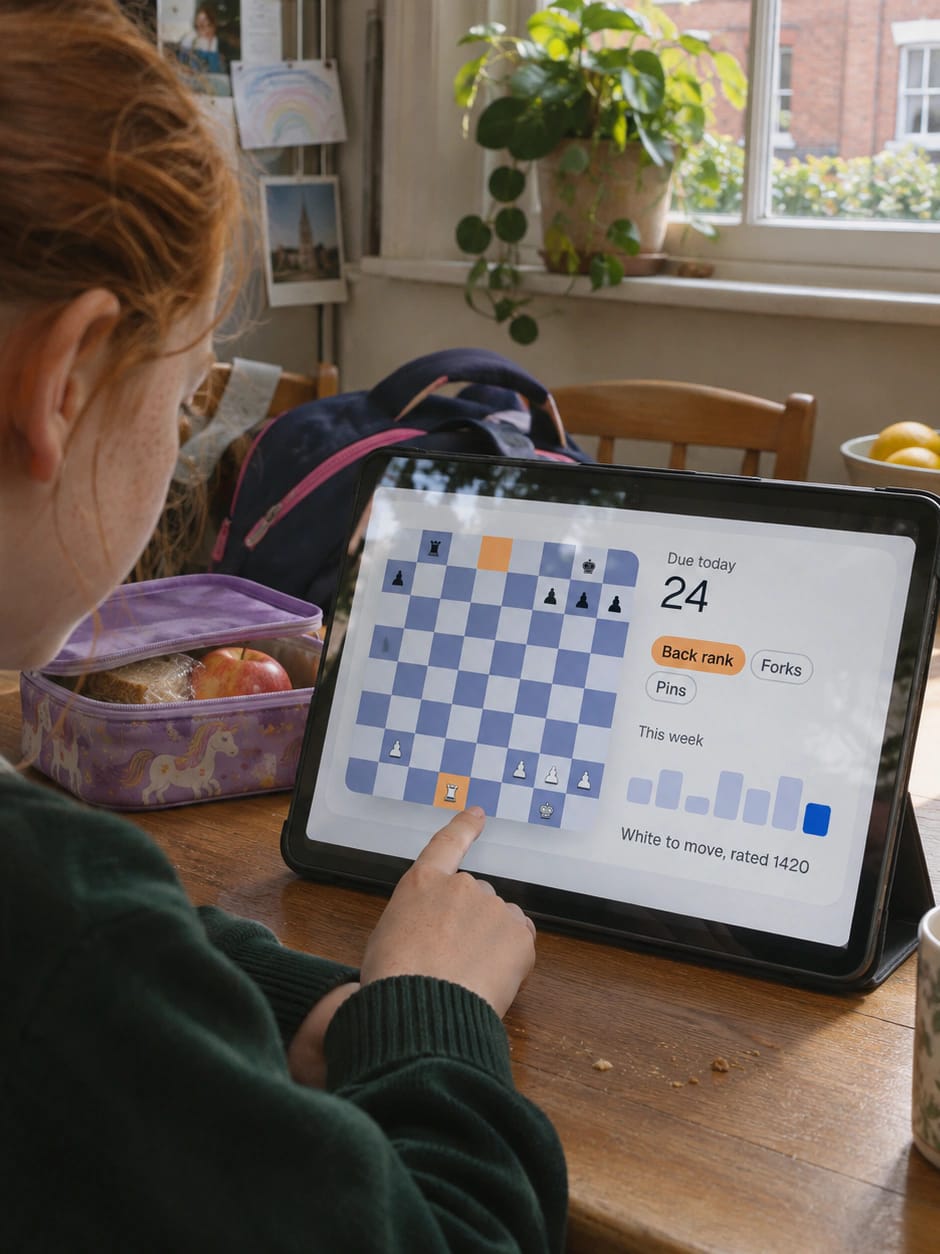
Students submit their work in ChessCore, including puzzle sets. The coach sees completion and accuracy for each assignment. An assignment still awaiting submission is marked overdue once its due date passes; submitted, graded or cancelled work is not marked overdue. That makes the follow-up a conversation about what was missed and not a hunt for who did it. Students also get a due-now queue, solve streaks, points and an academy leaderboard. These records stay in ChessCore. A coach who sees them can mention completion in the coach notes that go into a parent report. How reports reach a family is covered under student progress tracking.
Turn a student’s own mistakes into their next puzzles
You can make personalized chess puzzles from games your students actually played. After a coach selects a game for game analysis and the engine flags mistakes, a coach can send chosen mistakes into that student’s practice queue as puzzles built from their own positions. In the made-up example academy Knight’s Gate, Grace reviews the missed pin in Mateo’s game, then chooses a separate set of twelve pin puzzles due Friday. One game mistake does not itself supply twelve distinct puzzles. This is a teaching example, not a customer result.
Puzzles that follow each student’s weak themes
Adaptive chess puzzles for students are chosen in more than one way. In this chess weakness-based practice software, puzzle selection is separate from AI-written text.
- Rule-based Ranking the puzzle catalog against a student’s weak themes is a fixed ranking. The same inputs give the same list, and the coach previews it before assigning.
- Algorithm, not AI The due-now queue in this spaced repetition chess academy software brings a missed puzzle back sooner and a solved one later. A language model does not choose the schedule.
- Model-based Practice games run against Maia, a trained model that plays like a human, at five levels from about 1100 to about 1900. A short rating test on an adaptive opponent estimates a starting level. Whether a level suits a student is the coach’s call.
- AI drafting An AI syllabus composer is the chess curriculum automation for academies. It drafts an AI chess training plan for students that you review before anyone is assigned it. The composer saves no curriculum or assignments until you explicitly confirm the import.
Lesson plans drafted for you, assigned when you approve
The lesson planner handles practice for a whole batch. It drafts a plan from the curriculum topics its students score weakest on, with a warm-up, practice, homework and an assessment. It is rule-based, not AI, and it does not read students’ games. The draft waits in a review list: the coach edits it and approves or rejects it. Coach approval triggers the homework assignment and a matching puzzle set for the batch. So the drafting and the assignment are automated, and the decision is the coach’s.
Separately, AI extracts homework items into a class summary. After reviewing an item, the coach clicks to convert it into assignments for the session batch’s active roster. This AI homework extraction uses class-summary content; the rule-based lesson planner above uses curriculum mastery scores.
Four-week syllabus example, written for the made-up Knight’s Gate academy: a possible draft for Intermediate B puts piece safety in week one, pins in week two, forks in week three and mixed tactics in week four. These are illustrative lesson topics, not a captured AI output or a promise of progress. Grace revises it after reviewing Mateo’s missed pin: keep piece safety first, use his checked position in week two, replace week three’s forks with more pin practice, and use week four to review the assigned work before choosing the next topic. She checks the positions and confirms the curriculum import only after those edits; homework still needs an assignment step.
None of this promises a higher rating. Practice features give students more to do between classes, and the coach reads the results. For how ChessCore uses AI elsewhere, read AI for chess coaches. Plans are flat tiers by student count, and the current tiers are on the ChessCore pricing page.
See a coach-to-student assignmentAt a glance
A deep puzzle bank, and no rating promises
6,095,563
Rated puzzles
From the open Lichess puzzle database (CC0), with themes and opening tags.
5
Maia levels
Human-like practice opponents from about 1100 to about 1900.
4
Ways puzzles are chosen
Rule-based ranking, a spaced-repetition queue, a trained opponent model and AI drafting a coach reviews.
0
Rating promises
Practice gives students more to do between classes. The coach reads the results.
12
Pin puzzles due Friday
The set Grace chooses for Mateo in the made-up example, separate from his one game mistake.
FAQ
Frequently asked questions
Does ChessCore have a puzzle library?
Yes. ChessCore holds a shared catalog of 6,095,563 rated puzzles from the open Lichess puzzle database (CC0), with themes and opening tags. Coaches preview puzzles by rating and theme, copy a selection into their curriculum and assign sets with a due date.
Is the adaptive practice AI?
Mostly no. The puzzle ranking against a student’s weak themes is rule-based and gives the same result for the same inputs. The practice schedule is a spaced-repetition algorithm. Maia, the practice opponent, is a trained chess model. AI drafting is used for things like the curriculum syllabus composer, and a coach edits what it drafts.
Can students play games inside ChessCore?
Yes. Students can play human-like Maia opponents at five levels, from about 1100 to about 1900, challenge classmates inside their own academy and take a short rating test that estimates a starting level.
Related features
Run the rest of your academy without typing anything twice
- Batches and attendanceSet the timetable once: recurring batches, one class moved without touching the rest, and make-up credits settled from attendance.
- Fees and UPI AutoPayFees collected without chasing: recurring invoices, fee reminders on the schedule you turn on, and payment by UPI AutoPay or Stripe.
- Parent portalParents stay informed without messaging you: attendance, homework, reports and invoices behind their own login, nothing to install.
- White label and your brandYour academy’s brand on the screens families use: logos and colours, chain branding with current limits, and installable parent and student web portals.
- Stockfish game reviewGame reviews your coaches don’t have to type up: Stockfish flags the mistakes, the AI drafts the explanation and the coach approves it.
- Progress trackingMonthly progress reports that go out on their own once you switch them on. AI-written report text waits for a coach.
- Live online classesTeach online without a second app: built-in video, a shared board and recording. Screen sharing, a whiteboard and live polls are planned.
- TournamentsRun tournaments without the spreadsheet: Swiss, round robin, knockout, arena, team and simul events, with live standings and FIDE reports.
Written by Abhishek Tiwari. See our editorial standards.